A Guide to Digital Sales Room Software and How It Works
Learn what digital sales room software is, its core features, and how it impacts your bottom line. A comprehensive guide to choosing, implementing, and getting ROI from DSR platforms.
A Guide to Digital Sales Room Software and How It Works
Think about the last big deal you tried to close. How many emails did you send? How many different links for proposals, slide decks, and security documents were floating around? It gets messy, fast.
A digital sales room cuts through all that noise. It's essentially a private, branded online hub created specifically for each deal, giving your buyer one single place to find everything they need. No more digging through old email threads or hunting for that one specific link.
More Than Just a Shared Folder
It's tempting to think of a digital sales room (DSR) as just a glorified Dropbox folder, but that misses the point entirely. A better way to see it is as a personalized microsite, custom-built for your buyer. It's a living, breathing space that turns the often-chaotic B2B sales cycle into a smooth, guided experience for everyone involved.
This isn't just a niche idea; it's a major shift in how sales gets done. The market for this software is expected to explode from $400 million in 2020 to around $1.4 billion by 2025. That's a compound annual growth rate (CAGR) of about 25.6%, which shows just how quickly companies are realizing they need a better way to sell. You can dig into the numbers yourself by exploring the latest industry trend reports.
Why the Old Way Is Broken
In a typical sales process, information is all over the place. A prospect gets a proposal in one email, a link to a demo recording in another, and a separate password-protected link for security docs. This forces your buyer to act like a detective, piecing together the puzzle on their own. It's a terrible experience.
This old, scattered approach creates some serious problems:
- You're Flying Blind: The second you hit "send" on an email, you lose all control. You have no idea who's looking at your materials or if your champion is even sharing them with the real decision-makers.
- It Confuses Your Buyer: When different stakeholders have different versions of a proposal or can't find the latest pricing sheet, the deal slows down. Confusion kills confidence.
- You Have Zero Engagement Data: You're left completely in the dark. Did the prospect actually watch the demo? Did they spend more time on the pricing page or the case studies? Without these insights, your follow-up is just a shot in the dark.
A digital sales room brings the entire buying journey into one collaborative environment. It provides the clarity, transparency, and personalization needed to build trust and accelerate deals.
To really see the difference, let's compare the two approaches side-by-side.
Traditional Sales Process vs Digital Sales Room Approach
| Sales Activity | Traditional Method (Scattered) | Digital Sales Room Method (Centralized) |
|---|---|---|
| Sharing Content | Sent via multiple emails, file-sharing links (Dropbox, Google Drive). | All content (proposals, videos, decks) lives in one shared, secure hub. |
| Buyer Collaboration | Happens in fragmented email chains, making it hard to track. | All stakeholders can comment, ask questions, and chat in one place. |
| Tracking Engagement | Limited to email open rates or link clicks; no deep insights. | Detailed analytics show who viewed what content, for how long, and when. |
| Version Control | Nightmare. Buyers often have outdated versions of documents. | Everyone always has access to the latest, most up-to-date information. |
| Personalization | Generic, one-size-fits-all approach for most interactions. | The entire experience can be branded and tailored to the buyer's needs. |
This table makes it clear: the traditional way of selling creates friction, while a DSR removes it.
How Digital Sales Rooms Fill the Gaps
A DSR completely changes the dynamic between buyer and seller. By creating a single source of truth, you're not just sending information—you're curating an experience. You guide the prospect through every step of their evaluation in a controlled, helpful way.
Instead of just pushing documents out into the void and hoping for the best, you're inviting them into a shared space designed for collaboration. This makes the buying process way easier for your customers and makes your sales team far more effective. Every interaction, every document, and every conversation is right there in the room, making sure everyone is on the same page.
Core Features That Power Modern Sales Teams
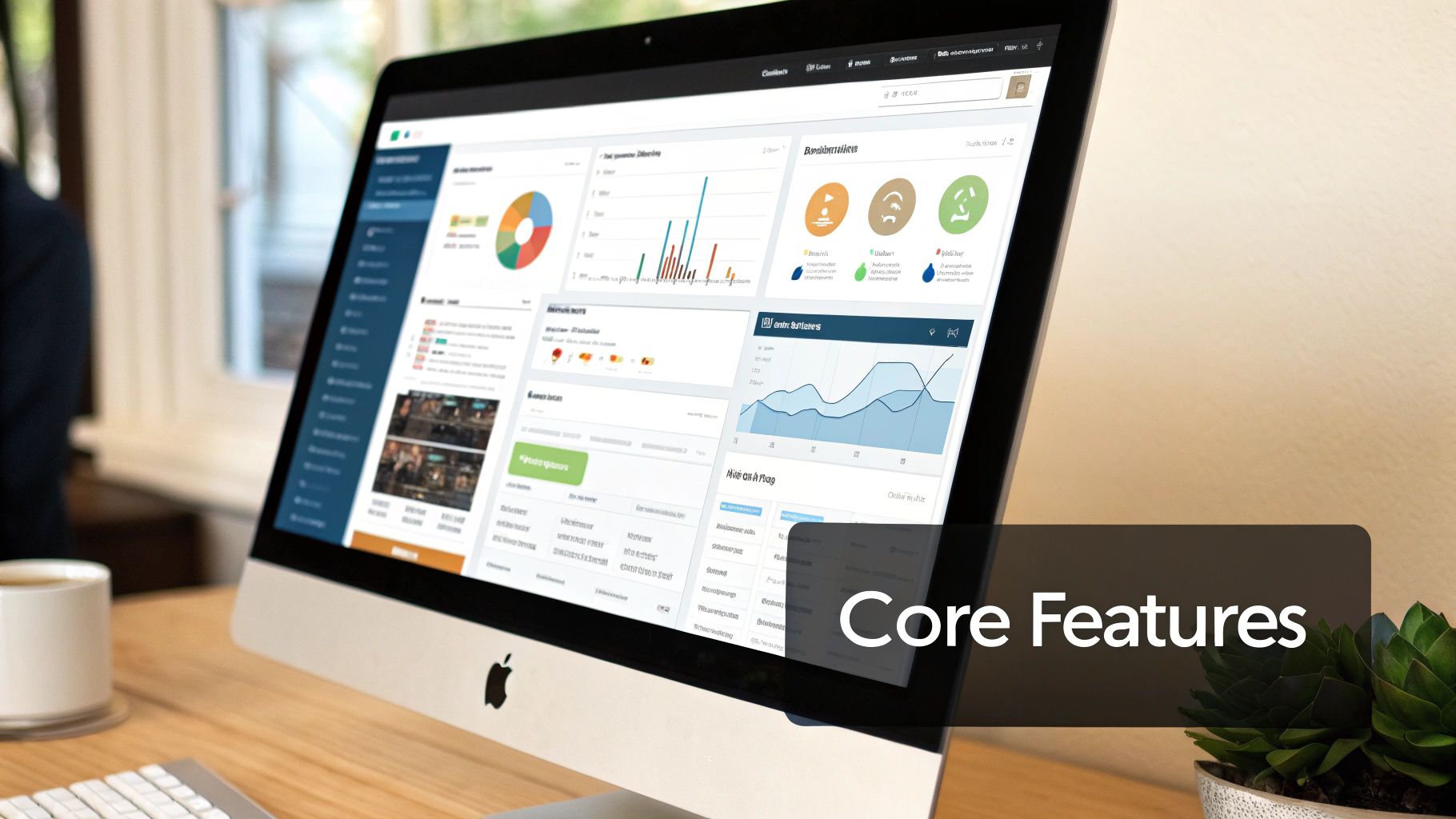
While the idea of a central hub for deals sounds great, its real power is in the specific features working together under the hood. The best digital sales room software isn't just a glorified cloud folder; it's a living, breathing environment built to guide buyers forward and give sellers the upper hand.
Think of it like a modern car. It's not just an engine and four wheels. It has a navigation system (analytics), hands-free communication (collaboration tools), and a dashboard that puts everything you need at your fingertips (the content hub). Each part does something different, but they all work together to create a smooth ride.
So, let's break down the essential features that turn a simple portal into a high-octane sales engine. I've grouped them into three main areas.
The Centralized Content Hub
First and foremost, a digital sales room has to be the single source of truth for everything related to the deal. This completely gets rid of the version-control nightmare where one person is looking at an old proposal while another has the updated pricing. It's all about giving everyone instant, organized access.
The content hub is built on a few key pillars:
- Secure Document Sharing: You can upload, organize, and share all your sales materials—PDFs, slide decks, videos, you name it. This ensures every single person on the buying committee sees the exact same, up-to-the-minute information.
- Branded and Personalized Experience: Top-tier platforms let you customize the room with your company's logo, colors, and overall brand vibe. This makes for a professional, cohesive experience that builds trust from the get-go.
- Dynamic Content Management: Instead of just linking out to static files, you can embed interactive demos, welcome videos, and presentations right inside the room. This keeps your buyers engaged in one place instead of bouncing them around the internet.
A solid content hub means your buyer never has to ask, "Can you send me the latest version of that deck again?" They know exactly where to find it, which builds confidence and keeps things moving.
Seamless Collaboration and Communication Tools
A deal is a conversation, not a one-way presentation. Digital sales room software is designed to make that two-way communication happen, keeping everyone aligned without getting buried in endless email threads. This collaborative layer is what really sets a DSR apart from a basic file-sharing site.
Instead of wrangling a million opinions through scattered calls and half-baked recaps, you've got a shared hub that keeps progress clear and everyone pulling in the same direction.
Features that make this happen include:
- Live Chat and Commenting: Buyers can drop questions right on a proposal or contract, and your team can jump in with answers instantly. All the communication stays right where it belongs—in context.
- Mutual Action Plans (MAPs): These are a game-changer. You can outline key milestones, assign tasks to people on both sides, and set deadlines. A MAP creates a shared roadmap so everyone knows what needs to happen next to get the deal done.
- E-Signature Integration: The ability to sign contracts and agreements right inside the DSR removes a massive bottleneck. What used to be a multi-day administrative headache becomes a simple click.
These tools transform a passive library of documents into an active workspace where you and your buyer build the deal together.
Deep Engagement Analytics and Insights
This is where digital sales rooms deliver their biggest punch: turning guesswork into a data-backed strategy. With traditional sales, you're basically flying blind after you hit "send." A DSR, on the other hand, acts like a GPS for your deal, showing you exactly what's happening on the other side.
You get a clear window into what your buyers are actually doing, which lets you tailor your follow-up with surgical precision. Knowing a prospect spent 20 minutes digging into your pricing page versus just two seconds is a game-changer.
Powerful analytics features give you these critical insights:
- Content Engagement Tracking: See who viewed which document, how long they spent on each page, and whether they downloaded or shared it. This tells you what content is actually hitting the mark and who the real influencers are in the deal.
- Real-Time Notifications: Get an instant ping when a buyer enters the room, opens a key document, or shares the proposal with a new stakeholder. These are buying signals telling you it's the perfect time to reach out.
- Stakeholder Mapping: You start to see who the real decision-makers are. When your champion forwards the proposal to their CFO or the head of legal, you'll know about it immediately. This helps you map out the buying committee and understand who you need to win over.
This data empowers your team to stop selling in the dark and start engaging buyers based on what they're truly interested in. To make this even more powerful, the software needs to play nicely with your other tools. You can learn more about how these crucial digital sales room integrations sync all this valuable data across your CRM and other platforms.
How DSRs Actually Impact Your Bottom Line
Sure, features like real-time analytics and slick content hubs are nice, but what business leaders really care about are results. Bringing digital sales room software into your process isn't just about adding another tool to the pile; it's about directly connecting your team's daily work to real, measurable wins.
When you pull your deals out of messy email chains and into a single, organized space, you change the entire game. This isn't just about making life easier for your reps—it directly boosts your revenue, makes your team more efficient, and builds stronger relationships with your customers. Let's break down exactly how.
Cut Down Your Sales Cycle
Nothing kills momentum like a long, drawn-out sales cycle. Every week a deal languishes in the pipeline is a week your team could be closing something new. Digital sales rooms are designed to crush the friction that causes these delays.
Think about a complex deal with a half-dozen stakeholders. The old way of doing things is a complete mess of forwarded emails, attachments, and trying to figure out who has the latest version. A DSR fixes this by becoming the single source of truth for the deal.
By giving everyone instant access to all the materials they need, you eliminate the endless back-and-forth that stalls progress. Buyers don't have to wait for your rep to dig up a security doc or the latest proposal—it's right there when they need it.
This empowers your champion to push the deal forward on their end without needing their hand held every step of the way. They can simply share the link to the DSR with new stakeholders, getting them up to speed in minutes. This self-service approach can easily shave weeks, or even months, off your average sales cycle.
Win More Deals by Giving Buyers a Better Experience
Today's B2B buyers expect a smooth process. If buying from you feels confusing or chaotic, they'll quickly find a competitor who makes it easy. A digital sales room helps you create a professional, seamless, and personalized experience that builds the confidence you need to win.
It's like the difference between shopping at a chaotic flea market versus a high-end boutique. The boutique experience is guided, organized, and feels tailored to you. A DSR provides that same "white-glove" treatment for every deal.
This polished approach has a direct impact on your win rates. When buyers feel like you understand their needs and have your act together, they're far more likely to sign on the dotted line. Here's why it works:
- You Look More Professional: A branded, organized DSR shows you're a serious partner.
- No More Guesswork: Mutual action plans keep everyone aligned on what needs to happen next.
- Less Confusion for the Buyer: With everything in one place, you prevent the simple misunderstandings that can kill a deal.
This isn't just a trend; it's the new standard. By 2025, it's expected that 80% of B2B sales interactions will happen in digital channels, with 60% of B2B sales organizations moving to digital sales rooms to manage them. To learn more, check out this analysis on the evolution of the sales software market.
Help Your Sales Team Get More Done
Your sellers' most precious resource is their time. But how much of it do they waste on admin work? They're constantly hunting for the right case study, manually logging notes in the CRM, or writing the same follow-up emails over and over.
Digital sales room software automates a ton of that repetitive work. This frees your team to focus on what they were hired to do: build relationships and close deals. Instead of guessing what a prospect is thinking, they can act on real-time buying signals from the platform's analytics.
For example, imagine your rep gets an alert that a key decision-maker just spent ten minutes reviewing the pricing page. That's the perfect time to call. This data-driven selling makes every interaction count. By cutting out the busywork and providing clear insights, DSRs help your team sell smarter, not just harder.
How to Choose the Right DSR Software
Picking the right digital sales room software is a bit like hiring a new team member. You want someone who fits your culture, understands your goals, and actually helps you get the job done—not just someone with a flashy resume. Not all platforms are created equal, and the best one for you hinges entirely on your team's specific needs, your current sales process, and what you're ultimately trying to achieve.
Rushing this decision is a common mistake. A thoughtful evaluation ensures you choose a tool that your reps will actually use and that delivers a clear return on your investment. Let's walk through how to build a solid checklist for talking to vendors and making a smart choice.
To start, think about your main goal. This simple decision tree can help you connect what you want to accomplish with the DSR features that will get you there.
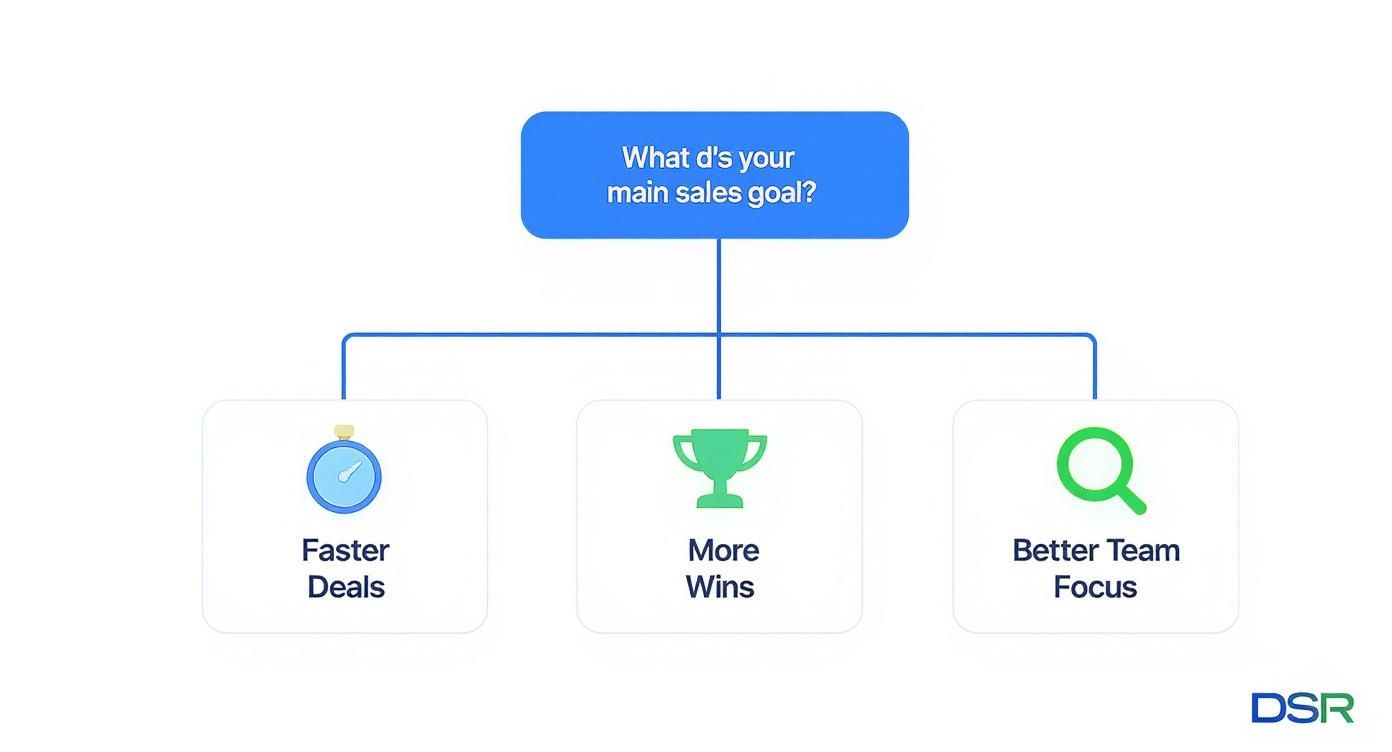
As you can see, different business objectives—like speeding up your deal cycles or just getting your team more focused—map to very different platform strengths. This gives you a great starting point for your evaluation.
Define Your Core Requirements First
Before you even book your first demo, you need to get crystal clear on the problems you're trying to solve. Is your sales cycle dragging on forever? Are prospects ghosting you after the first call? Is your team drowning in admin work instead of selling?
Get your sales leaders and a few top-performing reps in a room and hash out a list of non-negotiables. Getting their buy-in early is key.
Focus on these key areas:
- Must-Have Features: What functions are absolutely essential for you to do business? Maybe it's mutual action plans, built-in e-signatures, or really granular engagement analytics. Be specific.
- Integration Needs: What other tools does this platform have to play nice with? A smooth, two-way connection to your CRM (like Salesforce or HubSpot) is usually non-negotiable.
- User Experience: How simple does it need to be for both your sales team and your customers? A clunky interface will tank adoption, no matter how powerful the features are.
Evaluate Key Platform Capabilities
With your core requirements in hand, you can start looking at vendors. Use your list to compare platforms across the things that matter most to you. And please, don't just take a salesperson's word for it—insist on live demos that mirror your team's real-world scenarios.
It can also be helpful to frame your thinking by looking at webinar platform comparisons, since many DSRs include similar features for presenting content and interacting with buyers.
To help guide your vendor conversations, we've put together a checklist to make sure you cover all your bases.
Key Evaluation Criteria Checklist for DSR Software
Use this table to systematically evaluate and compare different DSR software options against your most critical business needs. It will help you stay focused during demos and vendor calls.
| Feature/Criteria | Importance (High/Med/Low) | Questions to Ask Vendors |
|---|---|---|
| CRM Integration | High | How deep is the integration? Does it offer a true two-way data sync? |
| Ease of Use | High | Can you walk me through the client-facing experience? How long does it take to get a new rep up and running? |
| Engagement Analytics | High | What specific buyer actions can we track? Let's see the actual analytics dashboard. |
| Content Management | Medium | How does the platform handle version control for documents? Does it support video and interactive demos? |
| Security & Compliance | High | What certifications do you hold (e.g., SOC 2 Type II)? How do you ensure our data and our client's data is private? |
| Scalability | Medium | What do your pricing tiers look like as we grow? Can the platform support our needs in two years? |
This checklist isn't exhaustive, but it's a powerful starting point to ensure you're asking the right questions and comparing apples to apples.
Prioritize Security and Compliance
Let's be blunt: you're handling sensitive customer data, confidential proposals, and legally binding contracts. The security of your digital sales room is not just a feature—it's a fundamental requirement. A data breach could sink a deal and do serious, long-term damage to your company's reputation.
Look for vendors that are upfront about their security measures. They should be proud to share their compliance certifications and ready to answer tough questions about data encryption, access controls, and privacy policies.
When you talk to vendors, ask them directly about their security protocols. A trustworthy provider will have comprehensive documentation ready to go. If you want to dig deeper, you can learn more about enterprise-grade DSR security practices to make sure you know what to look for. Making security a top priority from day one protects both your business and your clients.
A Roadmap for a Smooth DSR Rollout

Buying new digital sales room software is the easy part. The real work—and where you'll see the payoff—is getting your team to actually use it day in and day out. Without a solid plan, even the best tool will gather digital dust.
A successful launch isn't just about flipping a switch and hoping for the best. It's about building genuine momentum with a strategy that gets your team excited and properly equipped to sell more effectively. This roadmap will walk you through the essential steps, from getting the green light to tracking your long-term wins.
The process doesn't start with your sales reps. It starts with leadership. You need to build a rock-solid business case that ties the DSR directly to the results they care about.
Get Leadership On Board and Define What Success Looks Like
Before you even think about training, you have to get your executive team bought in. Don't get bogged down in feature lists; focus on business outcomes. Frame the conversation around how a DSR will shorten sales cycles, boost win rates, and give them the pipeline visibility they've been asking for.
Back it up with data. For example, explain how the investment will cut down on administrative tasks, freeing up reps to spend more time actually selling. Once they're on board, work together to define what a "win" looks like.
These key performance indicators (KPIs) will be your guide:
- Adoption Rate: What percentage of your sales team is actively using the DSR every week?
- Sales Cycle Length: Are deals closing faster? By how many days?
- Content Engagement: Which pieces of collateral are actually helping move deals across the finish line?
- Win Rate: Are reps who use the DSR closing more deals?
Defining these metrics from the start makes it infinitely easier to prove the ROI down the road. A great way to visualize this is with a timeline. Check out our guide on creating an implementation timeline and process overview to get started.
Start Small with a Pilot Program and Your Top Reps
Trying to roll out new software to the entire sales team at once is often a recipe for disaster. The smarter move? Start small with a pilot program. Pick a handful of your most tech-savvy and influential reps to be your champions.
These folks are your early adopters. Their success stories and honest feedback are gold—they'll help you work out the kinks and build momentum for the company-wide launch.
Think of your pilot program as more than just a test run. It's your internal case study. The wins from this group will provide the social proof you need to get the rest of the team on board.
During the pilot, give this small group your full attention with dedicated support and training. Work side-by-side with them to create simple, repeatable playbooks for common situations, like building a DSR for a brand-new prospect or managing a complex deal with multiple stakeholders.
Create Simple, No-Nonsense Training and Playbooks
After the pilot wraps up and you've collected feedback, it's time to prep for the full launch. The key here is simplicity. Your team is busy, so training has to be quick, practical, and focused on what matters most.
Skip the long, boring manuals and exhaustive feature demos. Instead, build short, role-specific training sessions and create on-demand resources they can access anytime.
Your training materials should clearly answer three questions for every rep:
- What is this thing? A quick, jargon-free explanation of a digital sales room.
- Why should I care? Show them exactly how it solves their biggest daily headaches.
- How do I use it? Give them simple, step-by-step instructions for the top 2-3 most important use cases.
Following this roadmap will help you turn your digital sales room software from just another line item on the budget into a vital part of your revenue engine.
What to Expect from DSRs in the Future
The digital sales rooms we use today are already a massive step up from the old way of doing things—chaotic email threads and basic file-sharing links. But this technology isn't standing still. Looking ahead, DSRs are on track to become even smarter and more indispensable partners for sales teams, evolving to meet the next wave of sales challenges.
This isn't just about bolting on a few new features. It's about making the entire sales process more predictive, personalized, and seamless. The market's explosive growth tells the same story. Projections show the digital sales room software market rocketing from around $1.5 billion in 2023 to nearly $4.9 billion by 2032, fueled by a compound annual growth rate of 14.1%. You can dig into the numbers yourself by checking out the full market research on DSR software.
The Rise of AI and Predictive Insights
The biggest change on the horizon is the much deeper integration of artificial intelligence. Future DSRs will go way beyond just tracking opens and clicks; they'll start offering truly predictive insights. Imagine an AI that analyzes a buyer's behavior inside the room and suggests the perfect piece of content to share—at the exact right moment—to have the biggest impact.
This AI-driven approach will essentially give your sales reps a co-pilot, helping them anticipate what a buyer needs before they even ask. It will analyze call transcripts, track how different stakeholders are engaging, and look at historical deal data to recommend the next best action. The goal is to turn every seller into a top performer.
Adopting a DSR isn't just a solution for today's problems; it's a strategic investment that prepares your sales team for the future of selling.
Industry-Specific Rooms and Enhanced Mobility
As DSRs become more common, we'll start seeing more specialized versions pop up. Generic, one-size-fits-all platforms will make way for solutions built specifically for industries like healthcare, finance, or manufacturing. These DSRs will come pre-loaded with industry-specific templates, compliance checklists, and relevant content to get teams started faster.
On top of that, the mobile experience is going to become front and center. Sales doesn't stop when you leave your desk, and DSRs will evolve to offer full functionality on the go. This means your reps can create, manage, and track their deals from literally anywhere, ensuring no deal ever loses momentum. These trends make it clear: choosing a DSR today is all about future-proofing your sales process.
Common Questions About Digital Sales Room Software
It's completely normal to have a few practical questions when you're looking at bringing in a new tool. Let's tackle some of the most common ones we hear about digital sales room software to give you a clear picture of how it fits into your day-to-day work.
How is a DSR Different from a CRM or Dropbox?
This is probably the biggest question people have. It helps to think about the purpose of each tool.
Your CRM is your internal system of record—it's where you keep track of contacts, notes, and deal stages. A tool like Dropbox is simply a digital filing cabinet; it holds your files, but that's about it.
A digital sales room (DSR), on the other hand, is built for your buyer. It's a shared, branded space where you and your prospect actually work together. While your CRM tells you what's happening internally, the DSR is the place where the deal actually moves forward with the customer. It pulls your content, communication, and key stakeholders into one focused experience.
The big misunderstanding is that a DSR is meant to replace your other tools. The best ones don't. Instead, they integrate with your CRM and cloud storage, connecting them into a single, cohesive sales process.
How Hard Is It to Train My Sales Team?
Concerns about a steep learning curve are valid, but you can relax on this one. Modern DSR platforms are built to be intuitive, so getting your team on board is surprisingly quick and painless.
Most sales reps are comfortable and confident with the software after just a couple of hours of focused training. A simple rollout plan usually does the trick:
- Kick things off with a quick meeting to explain why you're adopting the tool and the problems it solves.
- Run through a few real-world examples, like how to build a room for a new prospect or share a proposal.
- Set up a few ready-to-go templates so reps aren't starting from scratch.
Honestly, once reps see how much time they get back by not having to chase down files or wonder if a prospect opened their email, they usually can't wait to start using it.
Ready to see how an AI-powered digital sales room can shorten your sales cycle and help your team win more deals? Try Distribute and create your first trackable, shareable deal page in seconds. Start your 7-day free trial today.
Distribute Team
Content Specialist at Distribute. Exploring the intersection of AI, sales, and buyer enablement.
Related Articles
What Is a Digital Sales Room? (Definition & Benefits for B2B Sales)
A digital sales room (DSR) is a secure, centralized online workspace where B2B sellers and buyers collaborate throughout the sales process. Learn how DSRs are transforming sales with 50% faster deal cycles and 200% higher win rates.
How to Implement a Digital Sales Room in Your Sales Process (Step-by-Step Guide)
Ready to implement digital sales rooms? This comprehensive guide walks you through every step from planning and platform selection to team training and optimization. Get your DSR strategy right from day one.
Digital Sales Room Best Practices: What to Include for Maximum Buyer Engagement
Transform your sales process with strategic digital sales rooms that drive buyer engagement and accelerate deal closure. Learn the 8 essential components and implementation best practices for maximum effectiveness.