Top DocSend Alternatives for Sales
DocSend tells you when they looked. Distribute helps you close. See the difference between a file viewer and a digital sales room for B2B sales teams.
DocSend vs. Distribute: Why You Need More Than Just Document Tracking
DocSend tells you when they looked. Distribute helps you close.
If you are in sales, you probably have a DocSend account. It's the standard for sending a pitch deck and seeing if the VC or prospect opened it.
And for a long time, that was enough.
But sales has changed. Today, you aren't just sending one deck. You are sending a proposal, a security whitepaper, a case study video, an Excel pricing sheet, and a Mutual Action Plan.
If you use DocSend, you have to send five different links. Or worse, zip them all up and lose the analytics.
DocSend is a Utility. Distribute is a Destination.
Here is the honest comparison of when to use a simple tracker vs. when you need a Digital Sales Room.
1. The "Single File" vs. The "Full Story"
DocSend
Designed for one asset. It works perfectly if you just want to know if someone read your pitch deck. But if you have supporting materials (testimonials, legal docs), the experience breaks down. You end up sending an email with a bulleted list of links.
Distribute
Designed for the whole deal. You create a single page that hosts everything. Your video plays next to your pricing; your calendar link is embedded next to the "Next Steps." You aren't sending a file; you are sending a curated microsite for the deal.
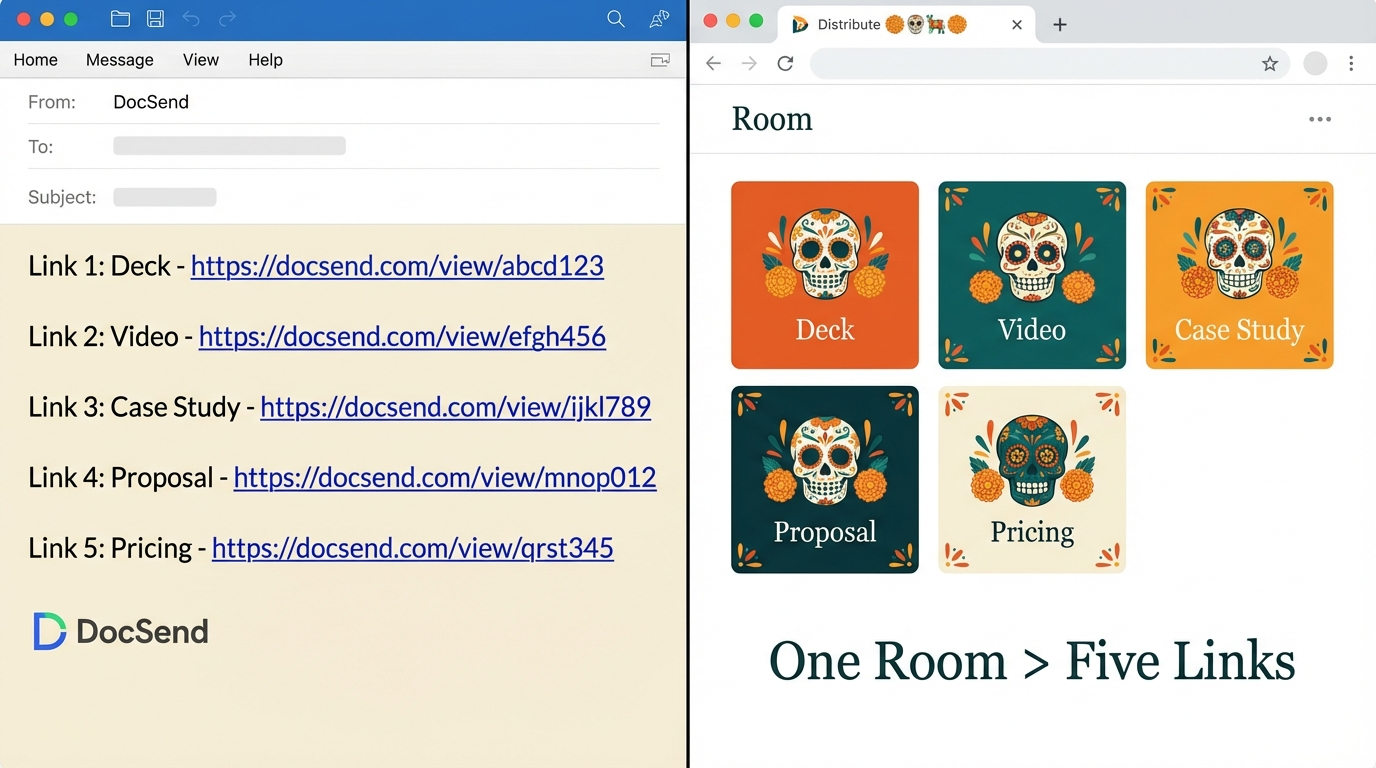
The "link soup" problem: sending multiple DocSend links vs. one Distribute room
2. Static Viewing vs. Active Collaboration
DocSend
It is a passive experience. The buyer looks at the PDF. They can't "do" anything.
Distribute
It is an active workspace.
- Mutual Action Plans: You can add a checklist for the buyer to click "Complete."
- Editable Text: You can write a personalized note inside the room (e.g., "Hey Mark, as discussed, see the updated pricing below").
- Embeds: You can embed a Loom video or a Typeform survey directly on the page.
The Bottom Line
If you want them to just read, use DocSend. If you want them to engage, use Distribute.
3. The "Updates" Problem
DocSend
You can update the underlying PDF, which is great. But you can't easily change the context around it without sending a new email.
Distribute
Because it's a web page, you can change the entire narrative. Did the prospect say security is their #1 concern? Log in to Distribute, drag the "Security Docs" section to the top of the page, and hit save. The next time they open the link, the room is tailored to their new objection.
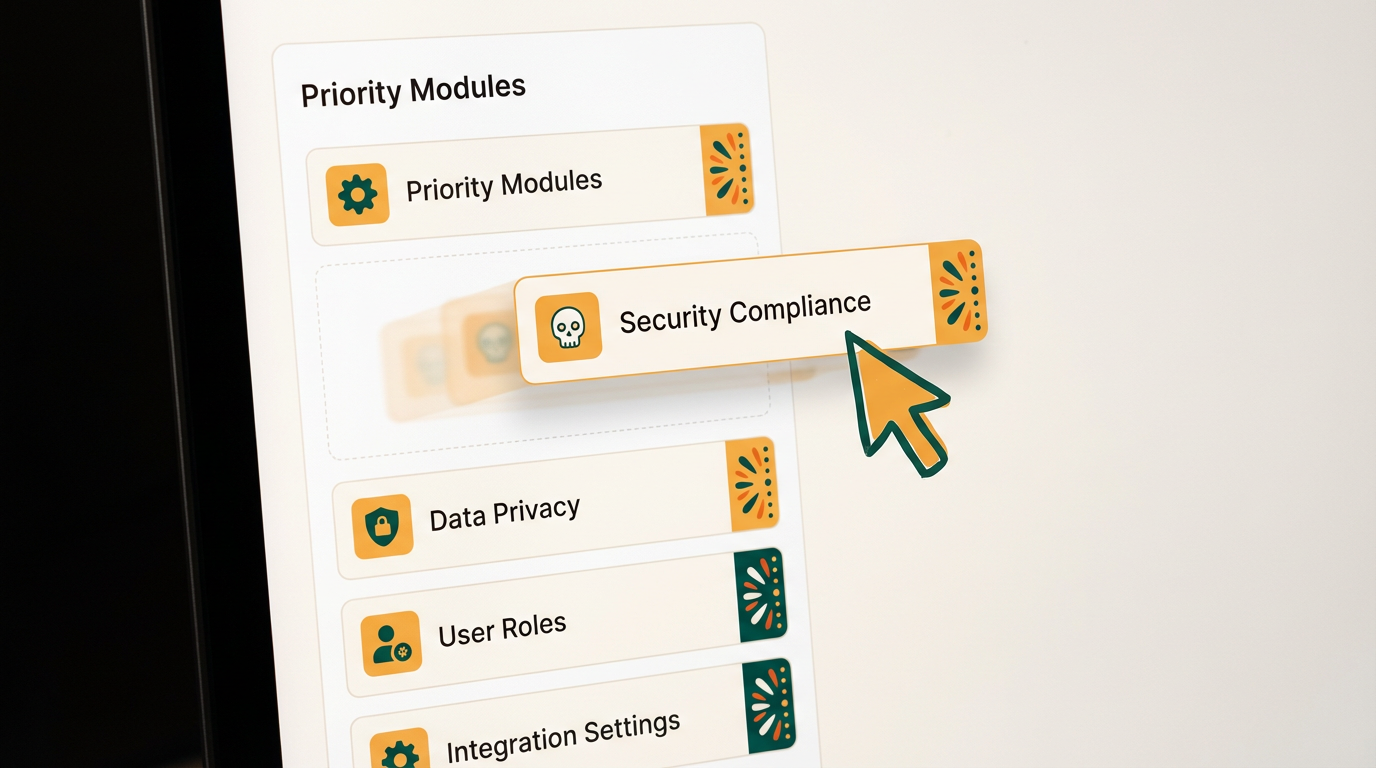
Drag-and-drop editing: Reorder content based on buyer priorities in seconds
Summary: When to Switch?
Stick with DocSend
If you need simple tracking
- ✓You are a founder sending a pitch deck to VCs
- ✓You only ever send one PDF at a time
- ✓You don't need the buyer to interact (checklists, videos, etc)
Switch to Distribute
If you need a deal room
- ✓You are a B2B Account Executive managing a sales cycle
- ✓You need to share multiple assets (videos, PDFs, sheets)
- ✓You want to guide the buyer through a timeline or action plan
- ✓You want to look like an Enterprise partner, not just a sender of links
See the Full DocSend vs Distribute Comparison
Want a detailed side-by-side breakdown with feature comparisons, migration steps, and real customer stories?
View Full Comparison →
DocSend was built for the era of the email attachment.
Distribute is built for the era of the Digital Sales Room.
Try Distribute Free
Distribute Team
Content Specialist at Distribute. Exploring the intersection of AI, sales, and buyer enablement.
Related Articles
What Is a Digital Sales Room? (Definition & Benefits for B2B Sales)
A digital sales room (DSR) is a secure, centralized online workspace where B2B sellers and buyers collaborate throughout the sales process. Learn how DSRs are transforming sales with 50% faster deal cycles and 200% higher win rates.
The Mutual Action Plan: How to Build a Close Plan Your Buyers Will Actually Use
Stop sending spreadsheets that nobody opens. Here is how to turn your deal timeline into a collaborative roadmap that gets signed.
Digital Sales Room Best Practices: What to Include for Maximum Buyer Engagement
Transform your sales process with strategic digital sales rooms that drive buyer engagement and accelerate deal closure. Learn the 8 essential components and implementation best practices for maximum effectiveness.