Sales Call Tracking Software: Boost Revenue with Smarter Coaching and Onboarding
Discover how sales call tracking software transforms conversations into revenue. Learn essential features, key metrics, and implementation strategies for smarter coaching and faster onboarding.
Sales Call Tracking Software: Boost Revenue with Smarter Coaching and Onboarding
Think of sales call tracking software as the game tape for your sales team. It's a tool that records, transcribes, and breaks down every phone call, turning messy conversations into clean, usable data. This isn't just about logging calls; it's about finding the hidden patterns that help you close more deals.
What Is Sales Call Tracking Software
At its heart, sales call tracking software is a platform built to capture and make sense of customer conversations. It's like having a digital coach listening in on every call, creating a perfect, unbiased record of what was said and how it was said. No more relying on foggy memories or scribbled notes—your team gets a flawless replay of every single interaction.
This turns a simple phone call into a goldmine of data. For a sales rep, it's a powerful self-improvement tool. They can listen back to their own calls to see where they shine and where they stumble, learn from the team's top performers, and walk into every follow-up call with total clarity. Instead of wondering why a deal went cold, they can find the exact moment the conversation took a wrong turn.
Beyond Basic Call Logging
But modern platforms do so much more than just hit "record." They use AI to automatically flag the most important parts of a conversation—things like mentions of a competitor, pricing objections, or questions about specific features. This saves managers from having to sift through hours of audio just to find a handful of coachable moments. The system does the heavy lifting, pointing leaders right to the calls that matter most.
The market for this tech is exploding for a reason. Businesses are hungry for data, and the global call tracking software market is proof, valued at around USD 10.05 billion in 2024 and expected to nearly double by 2031.
You might wonder how this is different from just logging calls in a spreadsheet or your CRM. The difference is night and day.
Let's quickly compare the old way with the new way.
Manual Call Logging vs Automated Sales Call Tracking
| Aspect | Manual Logging | Automated Tracking Software | | ----------------------- | -------------------------------------------------------- | --------------------------------------------------------------------- | | Data Capture | Relies on reps to enter notes; often incomplete or biased. | Records and transcribes the entire call verbatim, capturing everything. | | Analysis | Impossible to analyze at scale; based on anecdotal recall. | AI-driven analysis identifies trends, keywords, and talk patterns. | | Coaching | Based on vague feedback or occasional call shadowing. | Pinpoints specific moments for targeted, evidence-based coaching. | | Efficiency | Time-consuming admin work for reps after every call. | Fully automated, freeing up reps to focus on selling. | | CRM Integration | Requires manual data entry, leading to errors and gaps. | Syncs rich call data automatically to the correct contact or deal. | | Forecasting Accuracy| Based on call volume and rep "gut feelings." | Based on conversation quality and actual customer sentiment. |
As you can see, relying on manual notes is like trying to remember a movie you only saw clips of. Automated software gives you the full, high-definition picture every time.
From Conversation to Revenue
Ultimately, the goal is to draw a straight line from phone calls to revenue. By connecting with your CRM, the software logs every conversation against the right contact, opportunity, or account. This gives you a complete, unedited view of the customer journey and helps leaders forecast with confidence—basing their predictions on the quality of conversations, not just the sheer number of dials.
The real power of sales call tracking software is its ability to turn conversations into a repeatable playbook for success. It identifies the language, questions, and tactics that consistently lead to closed deals, allowing you to scale best practices across the entire team.
It finally helps you get clear answers to those critical business questions:
- Which sales scripts are actually working in the wild?
- What are the top three objections we hear every week?
- How can we make our sales coaching and new-hire training better?
- Are our marketing campaigns driving phone calls that actually convert?
By answering these questions with hard data, the software gives your team the insights needed to sharpen their strategy, boost performance, and build a much more predictable sales engine.
Essential Features That Drive Performance
Good sales call tracking software is a whole lot more than just a fancy tape recorder. Think of it as an engine designed to turn raw conversations into revenue-generating insights. Once you understand the core pieces, you can really start to unlock its potential for your sales team. These features all work together to paint a clear picture of what's working and what's not, taking the guesswork out of sales coaching.
This simple flow shows you exactly how raw calls get turned into powerful data.
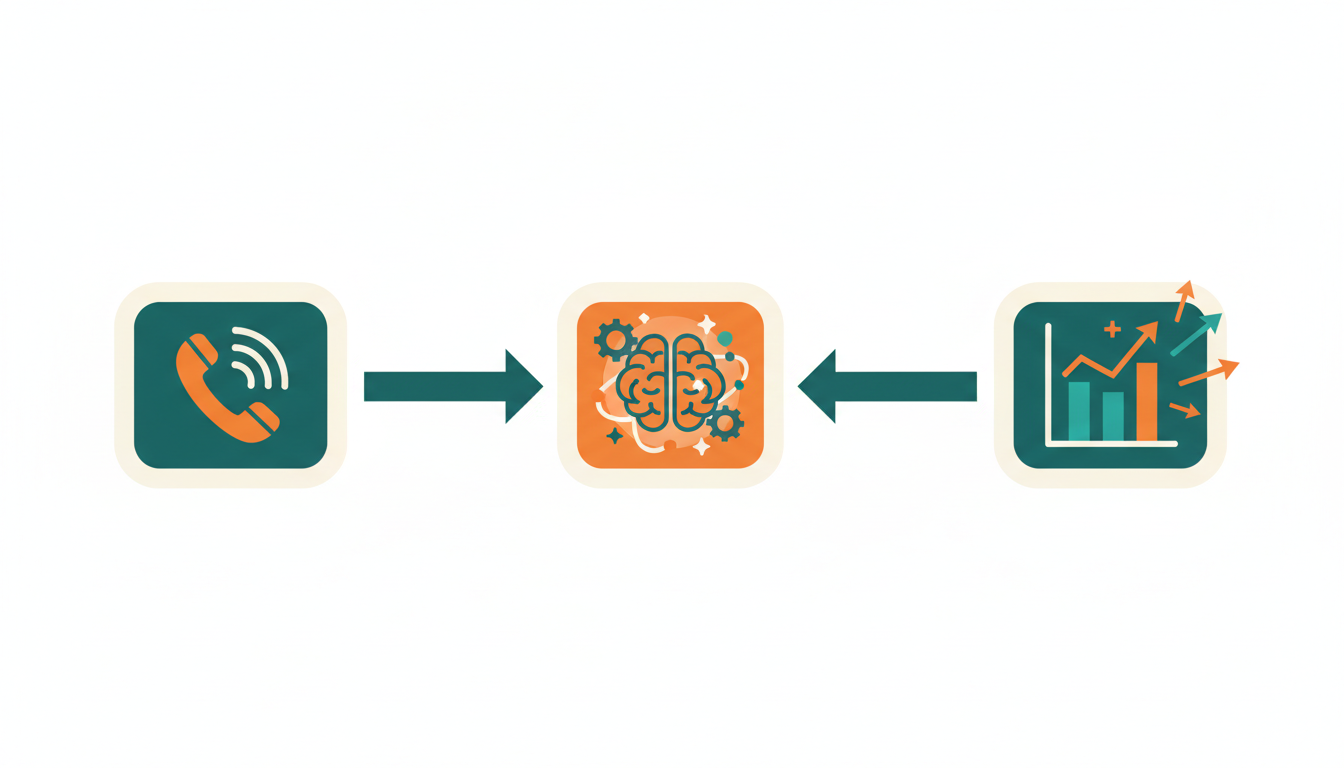
As you can see, it's a clear path from the conversation itself to the analysis and, finally, to the structured data that helps you make smarter decisions.
So, let's break down the four essential features that make all of this possible.
Call Recording And Transcription
On a basic level, the software records every single sales call. This alone is huge. It creates a perfect, unbiased library of every customer interaction you have. No more relying on vague memories or scribbled notes—reps and managers get a verbatim record they can pull up anytime.
This is an absolute goldmine for coaching and self-improvement. A rep can listen back to their own calls to hear what they sound like, while a manager can review a specific conversation to give targeted, evidence-based feedback instead of just generic tips.
But the real magic kicks in with transcription. Modern platforms automatically turn the audio into text, making every single word searchable. Need to find that one call where the prospect mentioned a competitor? Just type the name in the search bar. This transforms your call library from a dusty archive into an active intelligence tool. Our guide on the best AI notetaker tools digs deeper into how this tech works.
AI-Powered Conversation Intelligence
This is where sales call tracking software really earns its keep. It uses artificial intelligence to analyze the content of your calls at scale, acting like a tireless coach who sits in on every conversation. It spots critical patterns and moments that you'd almost certainly miss otherwise.
This feature automatically flags key moments in the conversation, like:
- Competitor Mentions: Instantly see which rivals are popping up and how your team positions your product against them.
- Customer Sentiment: The AI can detect the emotional tone, flagging calls where a prospect sounds excited, confused, or frustrated.
- Key Topics: Track how often certain products, features, or pricing objections come up, giving you a real-time pulse on what the market is telling you.
By automatically surfacing these insights, conversation intelligence allows sales leaders to move from managing activities to coaching behaviors. You can build training programs based on what's actually happening on the front lines, not on what you assume is happening.
Performance Analytics And Reporting
If conversation intelligence tells you what was said, performance analytics tells you how it was said. This feature gives you hard data on the structure and dynamics of a sales call, revealing the specific behaviors that actually lead to closed deals. It goes way beyond simple metrics like call duration and gets to the heart of what makes a conversation effective.
These analytics dashboards show you key performance indicators (KPIs) that directly impact outcomes. For instance, you can track:
- Talk-to-Listen Ratio: See how much time your top performers spend talking versus listening. Hint: the best reps usually listen more than they talk.
- Question Rate: Measure how many engaging questions a rep asks to really dig into a prospect's needs.
- Monologue Duration: Pinpoint reps who tend to go on long-winded rants that can easily lose a buyer's attention.
By looking at these metrics across the entire team, you can build a data-backed blueprint of what a "great" call looks like and create a playbook to help every rep get there.
Seamless CRM Integration
A sales tool is only as good as its ability to fit into your team's daily routine. That's why seamless integration with your Customer Relationship Management (CRM) platform is absolutely non-negotiable. This feature makes sure all the amazing data you're capturing doesn't get stuck in a separate system.
The software automatically logs every call recording, transcript, and key insight right into the correct contact, deal, or account record in your CRM. This completely wipes out the tedious, error-prone chore of manual data entry, freeing up your reps to do what they do best: sell. For leaders, it creates a single source of truth, enriching your pipeline with the real-world context of actual customer conversations.
This level of integration is quickly becoming the standard. Today's tools are expected to include advanced AI features like sentiment analysis and automatic transcription—they're indispensable for performance-focused teams. The constant push to prove a clear ROI has only accelerated this trend.
How the Best Teams Actually Use Call Tracking Data
Just having call data is one thing. Actually using it to win more deals? That's a whole different ball game. Top-performing sales teams don't just glance at pretty dashboards—they dig into the insights from sales call tracking software to change the very way they sell. And these aren't just perks for the people at the top; the benefits flow down to every single person on the team.
For individual reps, this software is like having a personal coach on call 24/7. Instead of waiting for a manager's feedback once a quarter, they can take control of their own development. Reps can literally replay their calls, hear how they really sounded when handling an objection, and pinpoint little habits they want to fix. That kind of self-awareness is where real, lasting improvement begins.
It also completely changes the follow-up game. With a perfect recording and transcript at their fingertips, reps can remember every little detail from a past conversation. This means their next email or call is always sharp, relevant, and speaks directly to what the prospect cares about. No more "Wait, did I already ask them that?" moments.
A Game-Changer for Sales Leaders
For sales leaders, call tracking data turns coaching from a gut-feel art into a data-backed science. You can finally stop guessing what your top performers are doing differently and start building a playbook based on what actually works.
The real magic for a manager is creating a repeatable recipe for success. When you can pinpoint the exact questions, phrases, and conversation paths that consistently move deals forward, you can clone the winning habits of your best reps across the entire team.
With this kind of insight, you can:
- Build Smarter Coaching Programs: Ditch the generic advice. Give your reps targeted feedback based on specific moments from their real-life calls.
- Identify Winning Habits: Find out what your A-players do to navigate tough conversations, and turn those tactics into training materials for everyone.
- Improve Sales Forecasting: Start basing your revenue predictions on the quality of conversations and what was actually agreed upon, not just the number of dials.
- Onboard New Hires Faster: Give new team members a library of "greatest hits" calls on day one, slashing the time it takes for them to start closing deals.
Lifting Performance for Everyone
When everyone—from the newest rep to the VP of Sales—is looking at the same data, the entire sales engine just runs smoother. Reps feel empowered because they have tools that genuinely help them get better at their job. Leaders, in turn, can guide their teams with confidence because they know what repeatable success looks like.
This is exactly why the market for these tools is exploding. Businesses are hungry for better analytics and ways to make every customer interaction count. The global market for call tracking hit USD 10 billion in 2023 and is expected to soar to around USD 20.3 billion by 2032. More and more companies are catching on to the competitive advantage it provides.
And this isn't just a tool for massive corporations. Small and mid-sized businesses are jumping on board to get more bang for their marketing buck and improve their conversion rates. It's clear that data-driven selling isn't a luxury anymore—it's a must-have for any team that wants to stay competitive. By making every conversation a source of insight, call tracking software helps build a smarter, stronger sales organization from the ground up.
The Metrics That Actually Matter
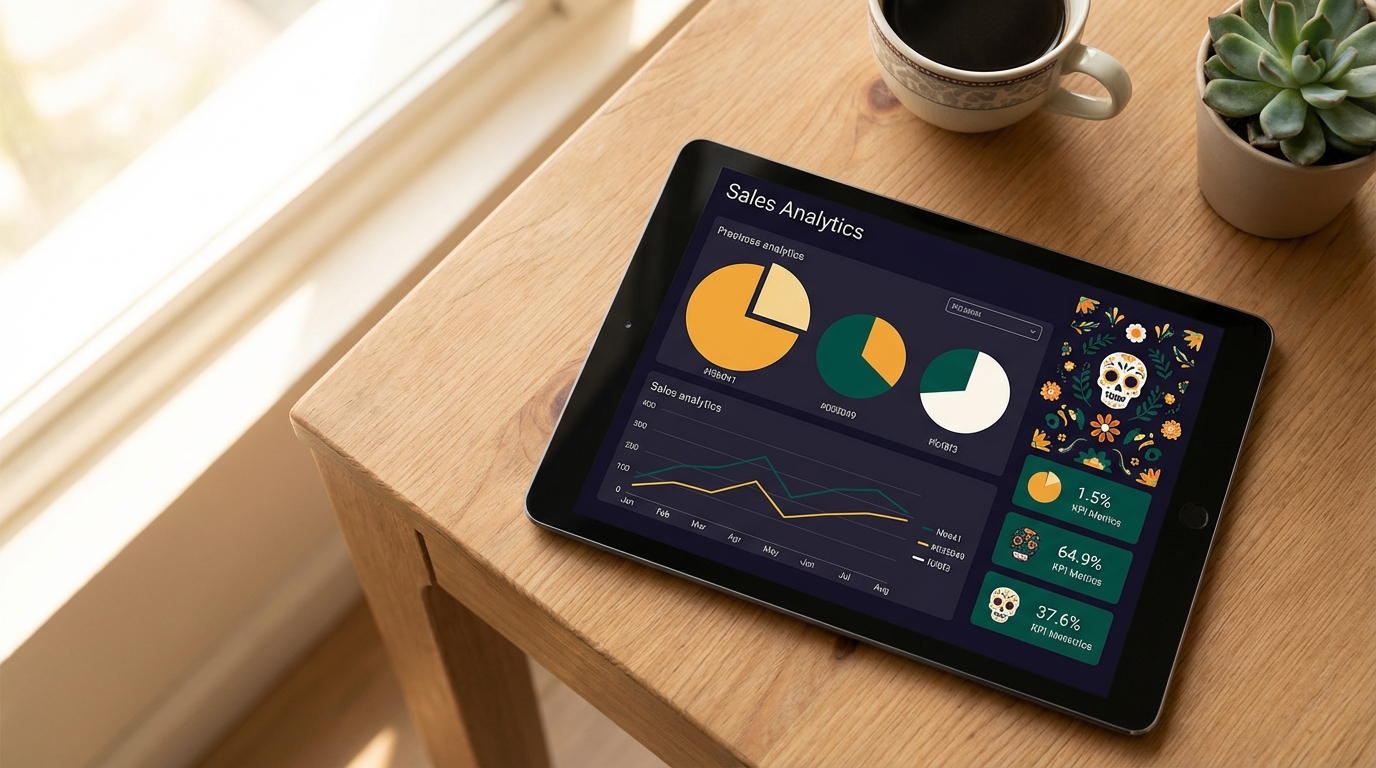
It's easy to get buried in data from your sales calls. If you don't know what you're looking for, you can drown in numbers that don't actually tell you anything useful. The real magic of sales call tracking software isn't that it collects data; it's that it shines a light on the specific KPIs that connect what's said on a call to the deals you actually close.
Forget about vanity metrics like how many calls were made or how long they lasted. A long call doesn't always mean it was a good one. Instead, the best teams zero in on the subtle metrics that reveal the true health of their sales conversations. These are the numbers that give you a clear path to getting better.
Moving Beyond Simple Activity Tracking
To get real value, you have to look past the basic activity and dig into the substance of the conversation. Modern software uses AI to dissect the dialogue, pulling out insights that were impossible to find just a few years ago. This lets you measure behaviors, not just whether a call happened.
Let's look at four of the most impactful metrics you should start tracking right away.
-
Talk-to-Listen Ratio: This shows you exactly how much time your rep spends talking versus listening. The best sellers almost always listen more than they talk—a good benchmark is around 43% talking to 57% listening. If a rep's talk time is sky-high, it's a red flag they're pitching features instead of uncovering a prospect's real needs.
-
Competitor Mentions: This tracks how often your competitors come up in conversation. A sudden spike in mentions of a specific rival could mean they've launched a new marketing campaign or that your own value proposition isn't landing. It's like getting real-time market intelligence straight from your buyers.
-
Question Rate: How many questions is your rep asking on each call? A high question rate is a fantastic sign of an engaged, two-way conversation. It proves the rep is working hard to understand the prospect's problems, not just reciting a script.
-
Next Steps Set Rate: This one is a game-changer. It measures the percentage of calls that end with a clear, agreed-upon next step, like a scheduled demo or a commitment to review a proposal. If this rate is low, your calls aren't doing their job of moving deals forward.
By focusing on these behavioral metrics, you shift from a culture of "did you make your calls?" to one of "how effective were your calls?" It's a fundamental change that separates good sales teams from great ones.
Turning Metrics into Actionable Coaching
Just looking at the numbers isn't enough. The goal is to use them to make your team better. When a manager sees a rep with a high talk-to-listen ratio, they can jump into specific call transcripts to find the exact moments where asking a question would have been more powerful than talking.
To give this process some structure, a great tool is the call scorecard. This helps you grade calls against the metrics and behaviors that are most important for your team's success.
The metrics from your call tracking software can give you a powerful, objective starting point for coaching. They take the guesswork and subjectivity out of feedback sessions, allowing you to have conversations based on real data. This helps reps see exactly where they can improve and helps leaders build a winning playbook that everyone can follow.
The table below breaks down some of these key metrics and what they really tell you about your team's performance.
Actionable Sales Call Metrics and Their Meaning
| Metric | What It Measures | Why It's Important | | :--- | :--- | :--- | | Talk-to-Listen Ratio | The percentage of the call spent talking vs. listening. | Reveals if reps are dominating the conversation or actively listening to discover customer needs. A balanced ratio is key. | | Competitor Mentions | The frequency of competitor names mentioned by the prospect. | Acts as an early warning system for competitive threats and highlights gaps in your value proposition. | | Question Rate | The number of questions asked by the sales rep during a call. | Indicates a rep's level of curiosity and engagement. More questions usually lead to deeper discovery. | | Next Steps Set Rate | The percentage of calls that end with a defined next action. | Measures a call's effectiveness in advancing the deal. A low rate signals that deals are stalling. | | Monologue Length | The duration of a rep's uninterrupted speaking time. | Pinpoints moments where a rep might be "feature dumping" instead of engaging in a two-way dialogue. |
Ultimately, tracking what actually matters transforms your sales call tracking software from a simple recording tool into a powerful engine for growing revenue.
Choosing the Right Software for Your Team
Picking the right sales call tracking software can feel like a make-or-break decision, but it doesn't have to be a nightmare. Think of it like buying a car. You wouldn't buy a two-seater sports car for a family of five, and you wouldn't get a giant SUV if you only drive in the city. The goal is to find the vehicle that actually fits your team's real-world needs.
To get it right, you need a solid game plan. I've broken the evaluation process down into four critical areas to look at before you sign any contracts. This checklist will help you see past the flashy marketing and focus on what really matters: security, integration, usability, and long-term value.
Start with Security and Compliance
Before you even book a demo, your first question should be about security. This isn't just another piece of software; it's a vault for your most sensitive customer conversations. A data breach isn't just a technical headache—it's a direct hit to your company's reputation and your customers' trust.
For that reason, solid security isn't just a nice-to-have, it's the absolute baseline. Look for companies that are transparent about their security measures and certifications.
Here's what to look for on your security checklist:
- SOC 2 Type II Compliance: This is the gold standard. It means an independent auditor has verified their security controls over a long period.
- GDPR and CCPA Readiness: If you operate in Europe or California, this is non-negotiable. The software must handle data according to these strict privacy laws.
- End-to-End Encryption: Your call data needs to be locked down tight, both when it's being transferred and when it's sitting on a server.
Don't just take their word for it. Ask tough questions about their data-handling policies. This is one area where you can't afford to cut corners.
Evaluate Integration Capabilities
Your sales call tracking tool can't be an island. If it doesn't play nicely with the software your team already lives in every day, it's going to cause more problems than it solves. I've seen more software rollouts fail because of bad integrations than for almost any other reason.
Think of your tech stack like a well-oiled machine. Your CRM is the central hub, your dialer makes the connections, and your email client keeps the conversation going. Your call tracking software needs to slide right in and make the whole machine run smoother.
The best tools are the ones you forget are even there. They just work, feeding valuable insights directly into your CRM records and syncing with your calendar without anyone having to think about it.
Before you start looking, make a list of your must-have integrations. Typically, these include:
- CRM: Salesforce, HubSpot, Microsoft Dynamics 365.
- Video Conferencing: Zoom, Google Meet, Microsoft Teams.
- Dialers and Communication: Outreach, Salesloft, Aircall.
- Calendars: Google Calendar, Outlook Calendar.
A platform with deep, native integrations means data moves automatically, which saves everyone from soul-crushing manual data entry.
Prioritize Usability and Workflow Fit
Let's be honest: even the most powerful tool is worthless if your team hates using it. If the software is confusing or adds extra steps to a rep's already packed day, they'll find a way to avoid it. Adoption is everything.
The software should feel natural and fit into how your sales team already works. A simple test is to ask, "Will this make my reps' lives easier or harder?" If the answer isn't a resounding "easier," walk away. Five clicks to find a call recording or a cluttered, confusing dashboard are huge red flags.
When you're looking at usability, think about these three things:
- Onboarding Simplicity: How fast can a brand-new rep get up and running? The best tools are practically plug-and-play.
- Daily Workflow: Does the tool automatically join and record meetings? Or does a rep have to remember to turn it on every single time? Good automation is the key to less admin work.
- Interface Clarity: Is it easy to find what you're looking for? Can a manager quickly pull up calls for a coaching session without needing a user manual?
You're looking for a tool that feels like a helpful sidekick, not another chore on the to-do list.
Assess AI and Automation Power
Finally, it's time to look under the hood at the platform's brain. Modern call intelligence tools are far more than just glorified tape recorders; they're AI engines built to find the needle in the haystack. The quality of the AI will be the difference between getting a mountain of raw data and getting truly sharp, actionable insights.
You aren't just buying transcripts. You're investing in a system that can automatically spot winning sales tactics, flag competitor mentions, and even draft a solid follow-up email. This is where you'll see a massive return—it saves time and helps your team close deals faster.
Look for specific, practical AI features like automatic call summaries, alerts for when a prospect mentions a competitor, and analytics that show you exactly when a buyer was most engaged. These features turn passive recordings into active intelligence that helps your team win.
A Simple Plan for a Successful Rollout
Even the most powerful software is useless if your team doesn't actually use it. Rolling out sales call tracking software takes more than just sending a login link and hoping for the best. It needs a real plan to get everyone on board and, frankly, excited about what it can do for them.
A successful launch isn't about flipping a switch; it's about building genuine buy-in from the ground up.

The whole thing hinges on one key idea: show your reps how this tool helps them win more deals, not just how it helps managers keep tabs on them.
Start With Your Goals
Before you touch a single setting, get crystal clear on what you're trying to accomplish. What's the real business problem you need to solve? Just "tracking calls" isn't a goal—it's what the software does.
Your goals need to be specific and measurable. Think along these lines:
- We need to reduce new hire ramp-up time by 25% in the next six months.
- Let's increase the "next steps set" rate on discovery calls by 15% this quarter.
- I want to identify and clone the top three talk tracks from our highest-performing reps.
When you have clear objectives from the outset, your implementation has a purpose. It also makes it a heck of a lot easier to prove its value later on.
Try a Phased Rollout
Whatever you do, don't dump this on your entire sales floor on day one. Start small. Pick a handful of your most enthusiastic reps for a pilot group. This gives you a safe space to work out any technical kinks, get honest feedback, and create internal champions who can spread the word.
A great pilot program creates a powerful ripple effect. When the rest of the team sees their peers closing deals faster or getting better coaching, they'll be lining up to get access.
Once that pilot group is humming along and seeing results, you can start expanding. This approach creates a natural pull, turning adoption from a chore into something people actually want.
Communicate the "Why"
How you frame this software is everything. If your reps think it's a "Big Brother" tool for micromanagement, they'll fight you every step of the way. You have to position it as what it truly is: a personal coaching tool designed to help them hit their numbers and make more commission.
Focus on what's in it for them. Show them how it helps them:
- Self-coach by listening back to their own calls.
- Save a ton of time with automated notes and CRM updates.
- Learn directly from the best calls happening across the entire company.
When the team understands the tool is there to help them grow, they won't just adopt it—they'll embrace it.
Common Questions About Sales Call Tracking
Whenever you're thinking about adding a new tool to your sales stack, a bunch of practical questions are bound to pop up. It's totally normal. Let's tackle some of the most common ones that come up when teams are exploring sales call tracking software.
Getting these answers straight from the start helps get everyone on the same page for a smooth rollout.
Is Sales Call Tracking Legal?
Yes, but you absolutely have to play by the rules. It all boils down to consent laws, which differ depending on where you and your customer are located.
In some places, you only need "one-party consent," meaning just your sales rep needs to know the call is being recorded. In others, you need "two-party consent" (sometimes called "all-party"), which means everyone on the line has to be informed. The best way to stay compliant and build trust is just to be transparent. A simple, automated disclosure at the beginning of the call—like "Heads up, this call may be recorded for quality and training purposes"—is standard practice and keeps you in the clear.
Will My Sales Team Feel Spied On?
This is a big one, and it's all about the rollout. If you introduce this software as a way to watch their every move, you're going to get some serious pushback. Nobody likes feeling micromanaged.
But if you frame it as a tool for their own professional growth—a way to review their own calls, learn from the team's top closers, and even cut down on tedious admin work—it becomes a game-changer for them.
The goal is to build a culture of coaching, not a culture of surveillance. When reps see the software as a tool that helps them hit their quota and sharpen their skills, they'll actually want to use it.
How Much Technical Skill Is Needed?
Basically, none. Modern platforms are built to be incredibly intuitive. If your team can handle your CRM or use a tool like Zoom, they'll feel right at home with call tracking software.
The best providers also offer fantastic onboarding and support to make sure your team gets up and running without a hitch. The software does all the heavy lifting, so your reps can focus on what they do best: selling.
Ready to turn your sales conversations into a real competitive advantage? Distribute transforms every call into a trackable, shareable deal room that helps you close faster. See how it works at https://www.distribute.so.
Distribute Team
Content Specialist at Distribute. Exploring the intersection of AI, sales, and buyer enablement.
Related Articles
12 Best Meeting Transcription Software Options for Sales Teams (2025)
Finding the best meeting transcription software for your sales team can be overwhelming. This guide analyzes the top 12 tools that excel in accuracy, integration capabilities, and features designed specifically for revenue teams.
A Guide to Digital Sales Room Software and How It Works
A digital sales room cuts through the noise of scattered emails and links. It's a private, branded online hub for each deal, giving your buyer one place to find everything they need.
What Is a Digital Sales Room? (Definition & Benefits for B2B Sales)
A digital sales room (DSR) is a secure, centralized online workspace where B2B sellers and buyers collaborate throughout the sales process. Learn how DSRs are transforming sales with 50% faster deal cycles and 200% higher win rates.