Mastering Sales Process Automation Software: The Complete Guide
Learn how sales process automation software eliminates administrative busywork, boosts team productivity by 14.5%, and helps close deals faster. Complete guide to features, implementation, and ROI.
Mastering Sales Process Automation Software
Think about your sales team for a moment. Are they spending their days bogged down by data entry, manual follow-ups, and other administrative chores? It's like asking a star quarterback to also handle team laundry. Sales process automation software is designed to take that busywork off their plate so they can focus on what they do best: selling.
What Is Sales Process Automation Software

At its heart, sales process automation software is a set of tools built to handle the repetitive, manual tasks that eat up so much of a salesperson's day. It's like having a digital assistant for every member of your team, working 24/7 in the background to keep things moving.
This kind of software plugs right into the systems you already use, like your Customer Relationship Management (CRM) platform, and takes over the grunt work. This frees your reps from administrative headaches and lets them pour their energy into the high-value activities only a person can do—building rapport with a customer, understanding their unique problems, and negotiating a great deal.
The goal here isn't to replace salespeople. It's to make them better. By automating key parts of their workflow, these platforms bring consistency, speed, and accuracy to your entire sales operation.
The Core Problems It Solves
Without automation, sales teams run into the same old problems that kill productivity and kneecap revenue. Sales process automation software is built to tackle these headaches head-on.
- Inconsistent Follow-Up: It makes sure every lead gets a timely, personalized touch, so promising prospects don't get forgotten and fall through the cracks.
- Wasted Time on Data Entry: It can automatically log calls, emails, and notes right into your CRM, saving your reps hours every single week while cutting out human error.
- Slow Lead Response: The software can qualify and send a new lead to the right salesperson in seconds. In sales, speed is everything, and this gives you a massive advantage.
- Lack of Visibility: It gives managers a clear, real-time look at what the team is doing and how the pipeline is shaping up, making forecasts way more accurate.
Think about it: salespeople often spend less than a third of their time actually selling. The rest gets eaten up by admin tasks. Automation flips that ratio on its head, giving that priceless selling time back to your team.
The explosive growth of these tools shows just how critical they've become. The global sales platforms software market was valued at USD 73.3 billion in 2025 and is expected to rocket to USD 221.6 billion by 2035. This isn't just a trend; it's a fundamental shift in how businesses operate.
Ultimately, bringing in this kind of technology helps your team work smarter, not harder. It builds a sales process that's structured, efficient, and ready to scale, helping you close more deals, faster.
Why Your Sales Team Needs Automation
It's one thing to understand what sales process automation software is, but it's another to see how it can directly juice your bottom line. Bringing automation into your sales world isn't just about plugging in a new tool—it's about fundamentally changing how your team wins. It's the difference between a team stuck in administrative quicksand and one that's free to fly.
The real magic is in getting back your team's most valuable asset: time. You hire salespeople to sell, but they end up losing a huge chunk of their week to tedious, low-impact tasks. Think logging calls, manually sending follow-up emails, or updating CRM records. This administrative drag is a direct anchor on their ability to actually talk to prospects and close deals. Automation simply lifts that anchor.
When you hand off these manual chores to software, you give your reps the mental space to focus on the truly human side of selling. You know, things like building real rapport, untangling complex customer problems, and navigating tricky negotiations. This shift doesn't just make them happier—it makes them a whole lot more effective.
Boost Your Team Productivity
The first thing you'll notice with sales automation is a massive spike in productivity. What if you could give every single salesperson on your team an extra day's worth of selling time each week? That's the kind of impact we're talking about when software takes over the necessary but time-sucking tasks.
Instead of spending hours manually updating their pipeline, reps can have their calls, emails, and meetings logged automatically. Instead of writing the same "just checking in" email for the tenth time, they can launch a personalized sequence with a single click. All this newfound time means they can manage more leads without the quality of their conversations taking a hit.
"Sales process automation software is a force multiplier. It takes the inherent skills of your sales team and amplifies their reach and effectiveness, allowing them to achieve more with the same amount of effort."
The numbers tell the same story. Implementing sales force automation typically drives a 14.5% increase in productivity. It also powers a critical move away from gut-feel selling toward data-backed strategies—a shift that 72% of B2B organizations are aiming to make by 2025. This isn't just about working faster; it's about working a hell of a lot smarter.
Ensure Pristine Data Integrity
A sales team runs on data, and nothing poisons that data faster than manual entry. Typos, missed updates, and messy formatting can turn your CRM from a goldmine into a garbage dump. When your data is bad, your forecasts are off, your strategies are misguided, and you start losing deals you should have won.
Automation is like a security guard for your data. By capturing information from calls, emails, and meetings and syncing it straight to your CRM, it practically eliminates human error.
- No More Forgotten Logs: Every single touchpoint is recorded, giving you a complete, accurate history for every prospect and customer.
- Consistent Formatting: Data goes in the same way, every time, making your reports clean and trustworthy.
- Real-Time Updates: The pipeline always shows what's happening right now, giving sales leaders a true view of performance and what's coming down the pike.
With a clean CRM you can actually trust, your team can make decisions with confidence. That solid foundation is non-negotiable for everything from prioritizing the hottest leads to figuring out what's working and what's not.
Elevate the Customer Journey
In a crowded market, the customer's experience is everything. A slow response or a sloppy follow-up can be all it takes to lose a deal to a competitor. Sales process automation ensures every single lead gets prompt, professional, and personalized attention from the get-go.
Automated workflows can instantly route a new lead to the best rep, send a welcome email, and schedule the next follow-up task. This guarantees no one ever feels ignored or falls through the cracks. It helps your team deliver a consistently great experience, even as you scale, building the kind of trust that turns one-time buyers into lifelong fans. This structured approach ultimately shortens sales cycles and bumps up conversion rates across the board.
Core Features of Modern Sales Automation Platforms
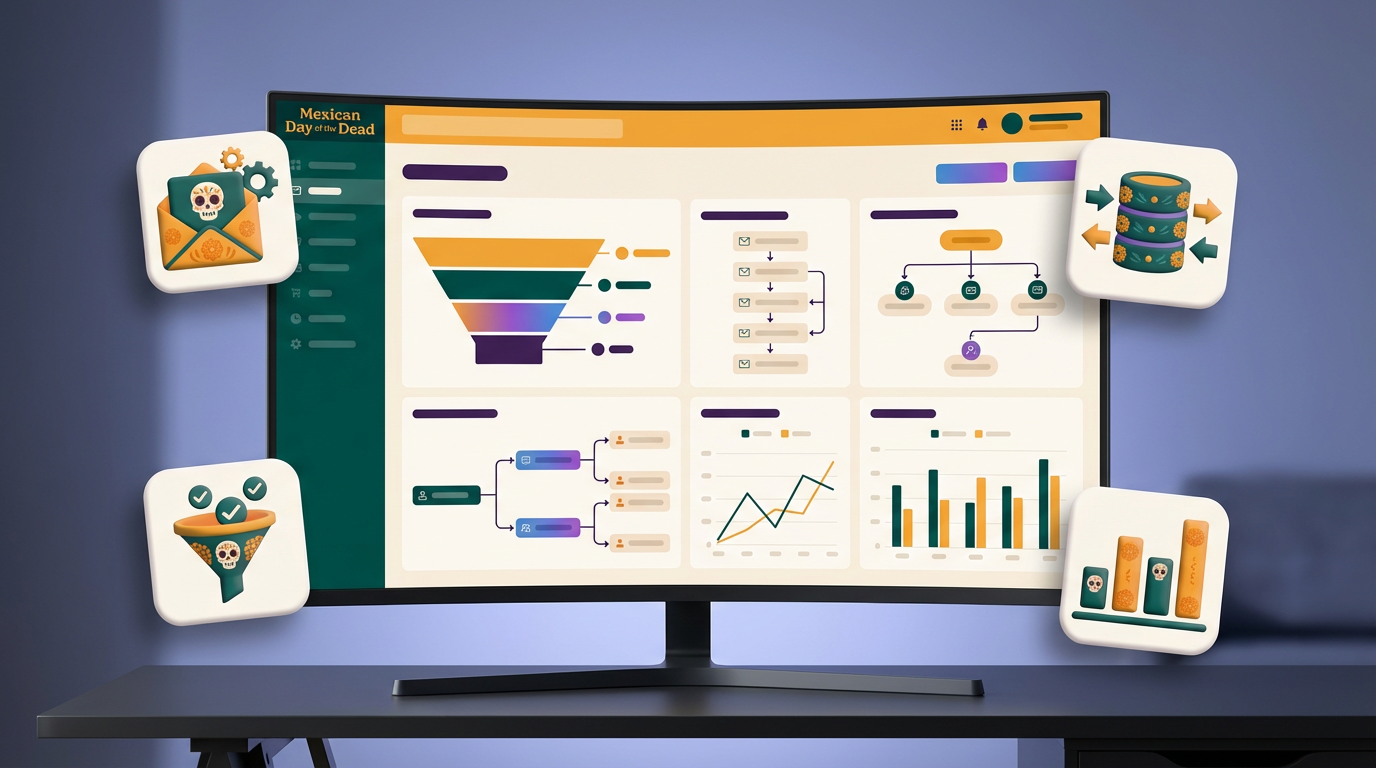
When you start digging into sales process automation software, it's easy to get overwhelmed by a laundry list of features. To cut through the noise, let's focus on the essentials—the core functions that truly move the needle.
Think of these as the must-haves. They're the difference between a tool that just adds another login to your day and one that becomes the engine of your sales operation.
Automated Lead Management and Routing
The first few moments after a new lead comes in are absolutely critical. This is where top-tier automation platforms really shine. It's not just about grabbing a name and email; it's about taking immediate, intelligent action.
These tools instantly size up and assign new leads to the right sales rep based on rules you create. Is the lead in a specific territory? From a certain industry? You set the criteria, and the system does the rest. This ensures lightning-fast response times, which is key to catching buyers while their interest is high.
This is especially true for growing teams. When you're swamped with calls and inquiries, using specialized software can automate those initial interactions and keep things from falling through the cracks.
It's no surprise that in 2024, the lead management segment alone accounts for a whopping 32.3% of the global market. It's the bedrock of an efficient sales machine.
Intelligent Email Sequencing and Cadences
Nobody has time to send manual follow-up emails all day. It's repetitive, and it's easy to make mistakes. This is where automation software completely changes the game with multi-step email sequences, often called "cadences."
A rep can add a prospect to a sequence, and a series of personalized emails will go out automatically over days or weeks. Even better, the system is smart enough to stop the sequence if the person replies, so you don't get those awkward, automated follow-ups after you've already started a conversation.
The best platforms use "if-then" logic. For example, if a prospect clicks a link to a case study, then the system can automatically send a follow-up about that specific solution. It's like having a digital assistant who knows exactly what to do next.
This creates a consistent, persistent presence that keeps you on your prospect's radar without any extra work from your team.
Dynamic Reporting and Analytics
You can't fix what you can't see. That's why a great reporting and analytics dashboard is non-negotiable. This is your command center for understanding what's really happening with your sales performance.
Instead of getting lost in spreadsheets, you get real-time dashboards that show you everything at a glance:
- Pipeline Health: See exactly where every deal is in your sales cycle.
- Team Performance: Track activity, conversion rates, and who's hitting their goals.
- Forecast Accuracy: Use real data to predict future sales with more confidence.
- Campaign Effectiveness: Find out which email sequences are actually generating replies.
This level of insight helps managers spot problems early, double down on what's working, and provide coaching that's based on facts, not guesswork.
Seamless CRM Integration
Last but definitely not least, your automation tool has to play nicely with your Customer Relationship Management (CRM) system. Your CRM is the heart of your customer data, and the automation platform should act like a natural extension of it.
A deep, seamless integration means every email, call, and meeting gets logged automatically in the right contact record. This simple function saves reps countless hours of mind-numbing data entry and, more importantly, keeps your data clean and reliable.
When your CRM is always up-to-date, everything else in your sales process just works better. It's the foundation for everything you do.
To tie it all together, here's a quick look at how these core features directly impact the sales metrics that matter most.
Core Automation Features and Their Impact on Sales
| Feature | Primary Function | Impact on Key Sales Metric | | ----------------------------- | ---------------------------------------------------------------------------------------------------------------- | ----------------------------------------------------------------------------------------------------- | | Lead Management & Routing | Instantly qualifies and assigns incoming leads to the right sales rep based on predefined rules (e.g., territory). | Improves Lead Response Time: Getting to leads faster directly increases the likelihood of conversion. | | Email Sequencing | Automates multi-step, personalized email campaigns to nurture prospects over time without manual effort. | Increases Meeting Booked Rate: Consistent, timely follow-up keeps your brand top of mind. | | Reporting & Analytics | Provides real-time dashboards tracking pipeline health, team activity, and sales forecasts. | Improves Forecast Accuracy: Data-driven insights lead to more reliable revenue predictions. | | CRM Integration | Automatically syncs all sales activities (emails, calls) between the automation tool and the CRM. | Increases Sales Rep Productivity: Eliminates manual data entry, freeing up time for selling. |
Each of these features is powerful on its own. But when they work together, they create a system that lets your sales team operate at a whole new level.
How to Choose the Right Automation Software
Picking the right sales automation software can feel a lot like hiring a key employee. It's a big decision, and the right choice can completely change your team's trajectory. The market is crowded, and every vendor promises the moon. To cut through the noise, you need a solid game plan that focuses on what your team actually needs.
The biggest mistake I see companies make is jumping straight into demos. Before you look at a single piece of software, you have to look inward. Take a hard look at your own sales process and pinpoint the biggest bottlenecks. Where are things breaking down? Are your reps spending half their day on data entry? Are good leads slipping through the cracks because follow-up is too slow? Naming these problems gives you a clear target for what automation needs to fix.
Start with Your Goals and Team Needs
It's easy to get distracted by flashy features you'll never use. The best way to avoid this is to ground your search in real, measurable goals. What are you actually trying to accomplish here?
Get specific. Vague goals won't help you evaluate anything. Try aiming for something like this:
- Slash Lead Response Time: Get the average time to first contact for a new lead down from a few hours to under five minutes.
- Give Reps More Selling Time: Free up 5 hours per week for each salesperson by automating their administrative busywork.
- Clean Up Your Data: Target a 95% accuracy rate for all contact and deal info in your CRM.
Once your goals are clear, go talk to your sales team—the people who will be in the trenches with this tool every day. What drives them crazy? What tasks do they dread? A tool that looks great to a manager but feels clunky to a rep will just gather dust. User-friendliness isn't a "nice-to-have"; it's essential for getting your team to actually use it.
Evaluate Critical Technical Requirements
With your goals in hand, you can start digging into the technical side of things. There are three make-or-break factors to consider: integrations, scalability, and the true cost.
1. Integration with Your Existing Tech Stack
Your sales process automation software has to play nice with the tools you already use, especially your CRM. A clunky integration just creates more manual work, which defeats the whole purpose. Look for deep, native integrations with the platforms your team relies on. To get a feel for what a truly connected system looks like, you can check out these integration options.
2. Scalability for Future Growth
The software you pick today needs to be able to grow with you. Can the platform handle more users, more leads, and more complex workflows a year from now? Two years from now? Avoid solutions that will corner you later. Ask vendors directly about their pricing tiers and what's on their product roadmap to make sure they can keep up with your ambition.
3. Total Cost of Ownership (TCO)
The monthly subscription fee is just the sticker price. To understand the real cost, you have to look at the whole picture.
Make sure to ask about one-time implementation fees, training costs, extra charges for decent support, and what happens if you go over your user or data limits. A cheap monthly fee can easily be a smoke screen for other hefty expenses down the line.
Ask the Right Questions During Demos
By the time you get to the vendor demos, you should have a clear checklist of what you're looking for. Don't let the salesperson give you their standard pitch. Take control of the conversation and ask questions that relate directly to your team's problems.
- "Show me exactly how your tool would automate lead routing for our West Coast territory."
- "Walk me through how a rep would create a new email sequence for a post-demo follow-up."
- "How does your reporting dashboard track our specific KPIs, like lead response time?"
When you focus the conversation on your unique challenges and goals, you can see past the sales pitch and figure out which platform is truly the best fit. This approach helps you find a solution that not only solves today's headaches but also sets your team up for long-term success.
Your Step-by-Step Implementation Plan
Bringing in new sales process automation software isn't like flipping a switch; it's more like a careful renovation of your sales floor. A successful rollout needs a solid blueprint, some prep work, and a sharp focus on the people who will actually use the tool every single day. If you rush it, you risk creating more problems than you solve, leaving your team frustrated and the software collecting dust.
The secret is to take it one step at a time. Instead of a big, disruptive launch across the whole company, start small. Pick a dedicated pilot group to test things out. This lets you iron out any kinks in your new workflows, spot technical hiccups, and get honest feedback in a low-stakes environment. Think of this first group as your champions—they'll help you perfect the process and get everyone else excited for what's to come.
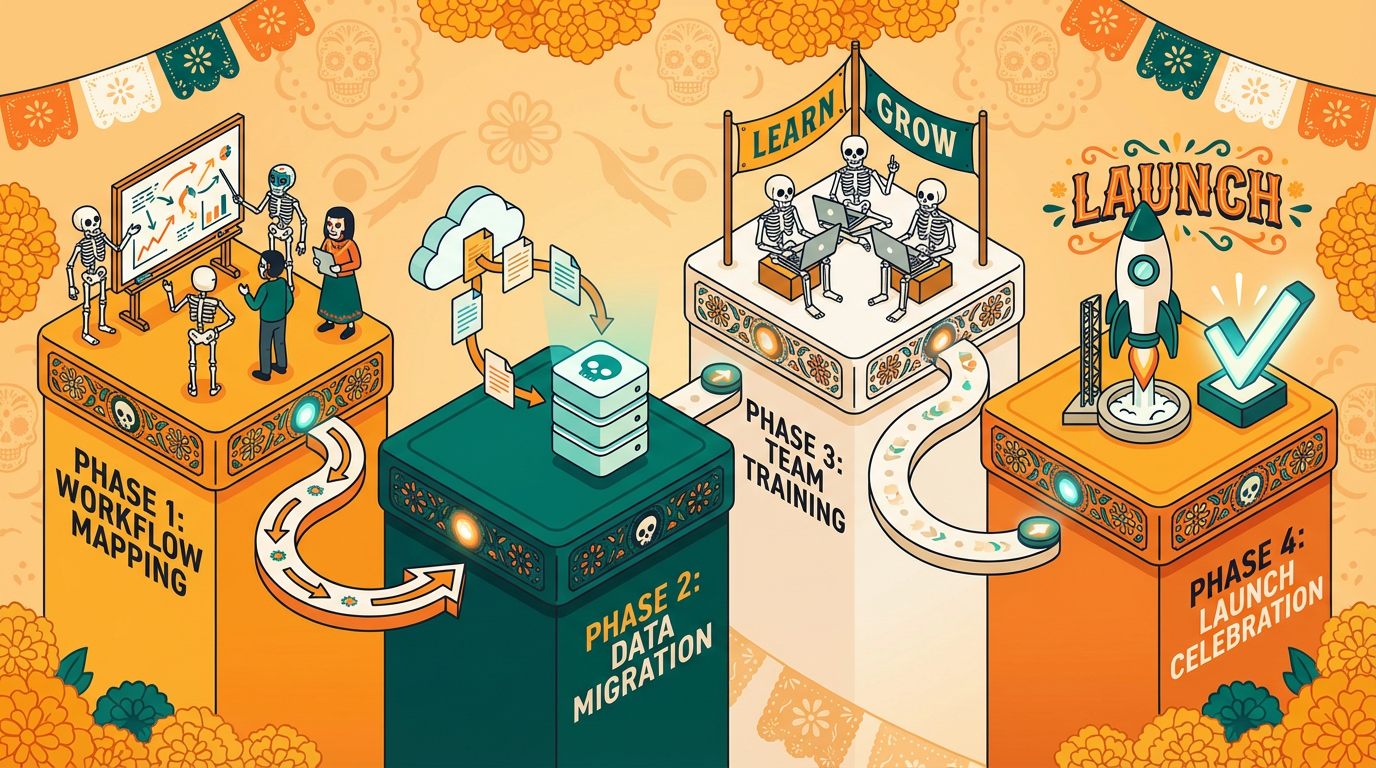
As you can see, a successful project starts long before you install anything. It begins with setting clear goals and doing your homework to make sure you pick the right tool for your team's specific needs.
Map Your Current Sales Workflows
Before you can automate a single task, you need to know exactly how your sales team works right now. Get your team in a room and map out every single step, from how a new lead is handled all the way to a closed deal.
Pinpoint the repetitive, manual tasks that eat up their time. Is it endless data entry? Writing the same follow-up emails a dozen times a day? These are your golden opportunities for automation. This isn't just about finding what's broken; it's about understanding the real-world habits your team has built.
A common pitfall is trying to shoehorn new software into a broken process. See this as a chance to redesign your workflows for efficiency from the ground up, with the new tool supporting a smarter way to sell.
Prepare and Migrate Your Data
Your new automation software is only as smart as the data you feed it. Before you move anything over, it's time for a spring cleaning of your existing CRM data. That means merging duplicate contacts, fixing typos, and making sure your formatting is consistent.
A clean data migration gives your new system a fresh start, free from the junk that bogged down your old one. This step is absolutely critical for getting accurate reports and reliable automations. After all, a messy database just leads to messy, unreliable results. If you need a guide, you can use this implementation plan template to walk you through it.
Drive Team Buy-In and Training
Technology is only half the battle—the other half is your people. Getting your sales team on board is probably the most important part of a successful rollout. Don't frame the software as a robot coming for their jobs; position it as a powerful assistant designed to eliminate their most tedious tasks so they can focus on what they do best: closing deals.
Great training is a must. Don't just show them a bunch of features and buttons. Focus on the "what's in it for me?" factor by demonstrating how the tool solves their biggest daily headaches.
Here's how to turn your reps into automation fans:
- Involve Them Early: Get input from your top reps when you're choosing the software and mapping out workflows. When they feel like they have a say in the decision, they're far more likely to champion the change.
- Provide Hands-On Training: Run interactive sessions that use real-world sales scenarios they face every day. Let them get comfortable with the tool in a practice environment.
- Offer Ongoing Support: The work isn't over on launch day. Set up a dedicated support channel (like a Slack channel) where reps can ask questions, share tips, and get help. And be sure to celebrate early wins to build momentum and show the whole team what's possible.
Sales Automation Examples in the Real World
Theory is great, but seeing how sales automation actually works in the wild is where it all starts to click. When you see how real businesses are using these tools to solve everyday problems, you get a clear picture of what's possible for your own team.
These examples show how automation can tackle specific bottlenecks in the sales process, turning major points of friction into smooth, efficient workflows. Let's dig into a few scenarios where automation became the engine for growth.
The SaaS Company Qualifying Inbound Leads
Picture a fast-growing software company getting swamped with hundreds of demo requests every month. Their team was manually sorting through every single one, trying to figure out who to assign them to and then scheduling calls. It was slow. By the time a rep finally connected, the lead's initial excitement was often long gone.
They fixed this by automating their lead management system:
- Instant Qualification: The moment a prospect hits "submit" on the demo form, the system automatically pulls in data like company size and industry.
- Smart Routing: It then uses preset rules—for example, any tech company with over 100 employees—to instantly assign the best leads to the right senior rep.
- Automated Scheduling: At the same time, the prospect gets an email with that rep's calendar link, empowering them to book a meeting on the spot. No more email tag.
This simple change slashed their lead response time from hours down to minutes. The result? A 20% jump in qualified demos scheduled in the very first quarter.
The E-commerce Brand Tackling Cart Abandonment
An online store was facing a huge issue: almost 70% of shoppers were adding products to their cart and then just leaving. Every one of those carts was a lost sale, but their small team couldn't possibly chase down each person manually.
So, they built an automated email sequence that kicks in whenever a cart is abandoned.
- Email 1 (1 hour later): A simple, friendly nudge—"Did you forget something?"—that shows them exactly what they left behind.
- Email 2 (24 hours later): This one builds confidence by sharing customer reviews or highlighting the product's best features.
- Email 3 (48 hours later): A final follow-up that creates a little urgency with a small incentive, like 10% off or free shipping.
This automated win-back campaign brought back over 15% of otherwise lost sales, adding a significant boost to their monthly revenue with zero extra work from the team.
These examples prove that the most effective automation strategies focus on solving one big, painful problem at a time. Don't try to automate everything at once. Find your biggest bottleneck and start there.
The B2B Firm Streamlining Post-Call Follow-Up
A mid-sized consulting firm realized their reps were burning hours every week just writing follow-up emails and updating the CRM after client calls. All that admin work was time they could have spent finding new prospects or closing deals.
They brought in a tool that automated the entire post-call workflow. Now, after a discovery call, the platform instantly creates a shared space with a summary of the conversation, clear next steps, and helpful case studies. For instance, tools like Distribute help teams build a central digital sales room that keeps all deal materials in one place.
This didn't just save each rep hours of tedious work; it gave buyers a far more professional and organized experience, which helped shorten their sales cycle.
Frequently Asked Questions
Jumping into the world of sales process automation software can bring up a few questions. Let's tackle some of the most common ones with straightforward answers to show you how these tools can really impact your team and your bottom line.
Will Sales Automation Replace My Salespeople?
Not a chance. Think of sales automation as a powerful assistant for your sales team, not a replacement. Its whole purpose is to take over the tedious, repetitive tasks that eat up their day—things like data entry, logging activities, and sending manual follow-up emails.
By handing off that administrative work, you free up your reps to focus on what they do best: building real relationships with clients, thinking strategically, and closing complex deals. Automation helps humans do more human work.
How Long Until We See Results?
You'll likely see the benefits roll in over a couple of phases. The first wave of results comes almost immediately. Within a few weeks, you'll notice your team is saving hours on admin tasks, which is a clear, quick win for efficiency.
The bigger, more impactful results—like better lead conversion rates, shorter sales cycles, and a real bump in revenue—usually start to show up within 3 to 6 months. This gives your team time to get comfortable with the new system and for the performance data to tell a clear story.
Can This Software Integrate with Our Current CRM?
Absolutely, and it's a must. Any good sales automation tool is built to play nicely with the major CRMs out there, like Salesforce, HubSpot, and Zoho. A solid, native integration is non-negotiable because it keeps all your data in one place.
When you're looking at different options, make sure to put integration at the top of your checklist. You want a tool that feeds information back and forth with your CRM effortlessly, keeping it the single source of truth for your entire team.
Is Sales Automation Only for Large Companies?
Nope, that's a common misconception. Businesses of all sizes can get a huge boost from automation. In fact, many tools offer flexible plans designed specifically for small and mid-sized businesses (SMBs), so you don't have to pay for enterprise-level features you don't need.
This means you can start with the essentials and scale up as your team grows. It's all about finding the right fit for where you are now, with room to expand later.
Ready to stop chasing follow-ups and start closing deals faster? Distribute turns every customer call into a shareable, trackable deal page in seconds, saving your team hours of administrative work. See how it works and start your free trial.
Distribute Team
Content Specialist at Distribute. Exploring the intersection of AI, sales, and buyer enablement.
Related Articles
12 Best AI Powered Sales Tools to Boost Revenue in 2025
Your sales team is spending too much time on tasks that don't involve selling. These AI powered sales tools shift focus back to what reps do best: building relationships and closing deals.
Sales Call Tracking Software: Boost Revenue with Smarter Coaching and Onboarding
Sales call tracking software is the game tape for your sales team. Learn how to turn messy conversations into clean, usable data that helps you close more deals and onboard reps faster.
A Guide to Digital Sales Room Software and How It Works
A digital sales room cuts through the noise of scattered emails and links. It's a private, branded online hub for each deal, giving your buyer one place to find everything they need.